Answer sheets

A separate grading method

Best for multiple choice, short answers, and when students should respond on a separate sheet.
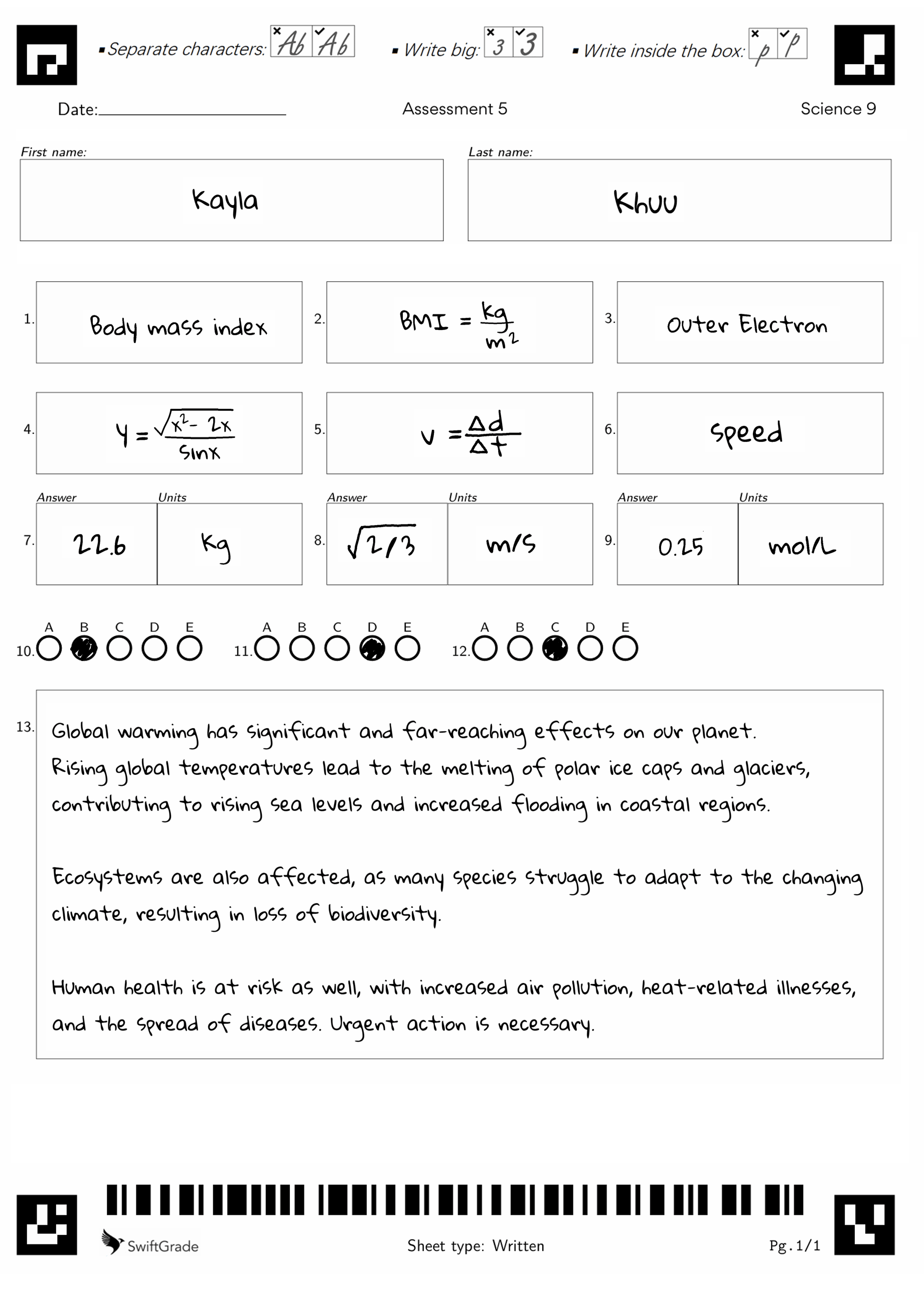
Paper answer sheet example

Answer sheet features

Rocket
Short answers are graded for you

Adjusts for minor spelling and rounding errors

Grades complex math such as fractions, roots, exponents, integrals, plus more!

Recognizes that the same math expressions can written in different ways

Supports units, scientific notation, and sig figs

Override auto-graded marks in one click

Amy Adams: 8/10
back arrow
Question #1
next arrowGradeGPT
Grading 10 students
Enter your grading prompt for Question #1
Attach rubric
send
NameStudent AnswerFeedbackMarks
Rocket
Longer answers are graded based on your prompt to our A.I

Enter your grading prompt and we'll do the rest

Edit AI-generated feedback as needed

Works with open ended questions like essays, short answers, entire math solutions, plus more!

TRY ME

Click to start demo

Start demo
Rocket
Adjust multiple grades at once with Group Grading

Our AI groups common answers together

Bulk edit marks and feedback for students with similar answers

TRY ME

Click to start demo

Start demo
back arrow
Question #1
Rubric GradingGroup Grading
Grading 17 students
Group A0 Students
Student Answer
Marks
Close Open
Group B0 Students
Student Answer
Marks
Close Open
Ungrouped0 Students
Student Answer
Marks
Close Open
back arrow
Question #1
Rubric GradingRequirements Grading
Grading 10 students
/5

Requirements

Rocket
Prefer manual grading? Take control with our Requirements Grading tool

Apply detailed, structured feedback in a few clicks

Save and reuse your requirements on future tests

Speed up grading with keyboard shortcuts

TRY ME

Click to start demo

Start demo

How answer sheets work

1

Create an answer key

Input the answers to your test

Note: This step is the same for both paper and online tests

2

Distribute our answer sheets along with your tests

Students write their answers into these sheets

3

Scan the completed answer sheets to grade them

SwiftGrade compares the student answers with your answer key to generate results

4

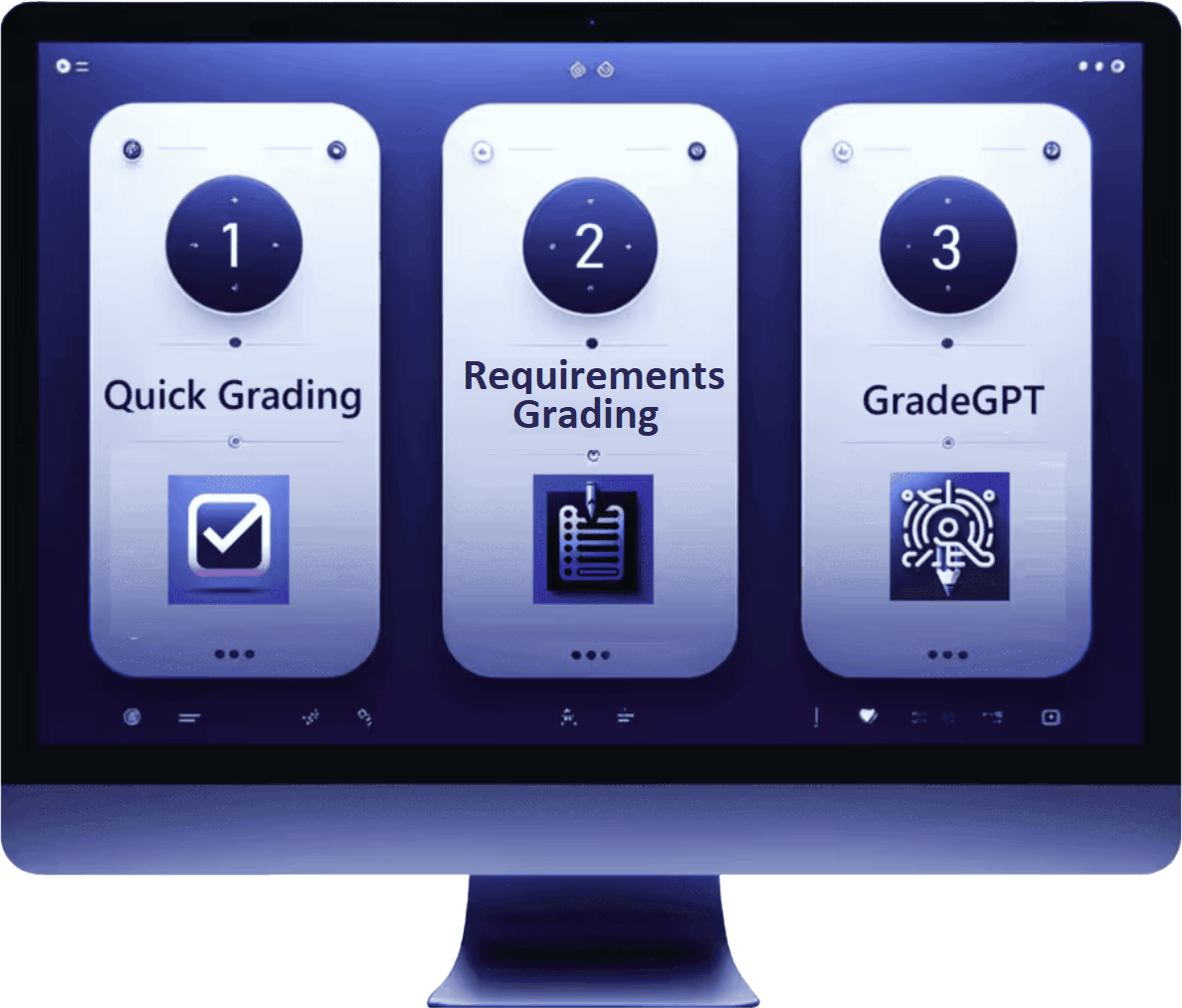
Review and finalize grades with 3 powerful tools:

  • Quick grading
  • GradeGPT
  • Requirements grading

These tools can be applied to either one or multiple answers at once
Online test
More feedback bubble

Watch How to Grade with Our Answer Sheets (2 min)

A quick video on how to grade using our answer sheets

More feedback bubble

Answer Sheet Flow - Paper vs Online

Print Answer Sheets or Assign them Online

Answer sheet flow
More feedback bubble

What our answer sheets can grade

Grade more than just multiple choice tests

Fill in the blank

Fill in the blank

  • Choose if spelling errors are accepted
  • Roman numerals: Iron (III) Oxide
Free Response

Free response

  • Meant for open-ended questions like essays, graphs, etc
  • Can be auto-graded with our GradeGPT tool
  • Can be rapidly graded with our quick grading or requirements grading tools
Multiple choice

Multiple choice

  • Multiple choice
  • Multiple selection
  • True or false
Math

Math

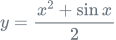
  • Equations: equations
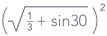
  • Terms: terms
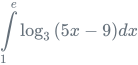
  • Integrals: integrals
  • Inequalities: inequalities
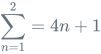
  • Sigma: sigma
  • Set notation: set notation
  • Units: units
  • Plus more...
Numeric

Numeric

  • Non-decimals: root
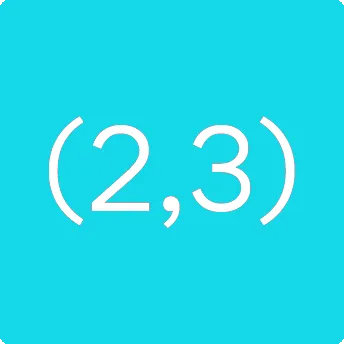
  • Decimals: (2.3)
  • Units: (2.3 m/s2)
  • Scientific notation: (2.3×10⁶)
  • Set answer tolerance: (2.3 ± 5%)
  • Significant figures: (2.3 | 2 Sig figs)
  • Plus more...
Matching

Matching

Plus more coming soon

Coordinates

Coordinates

Chemical equations

Chemical equations

Languages

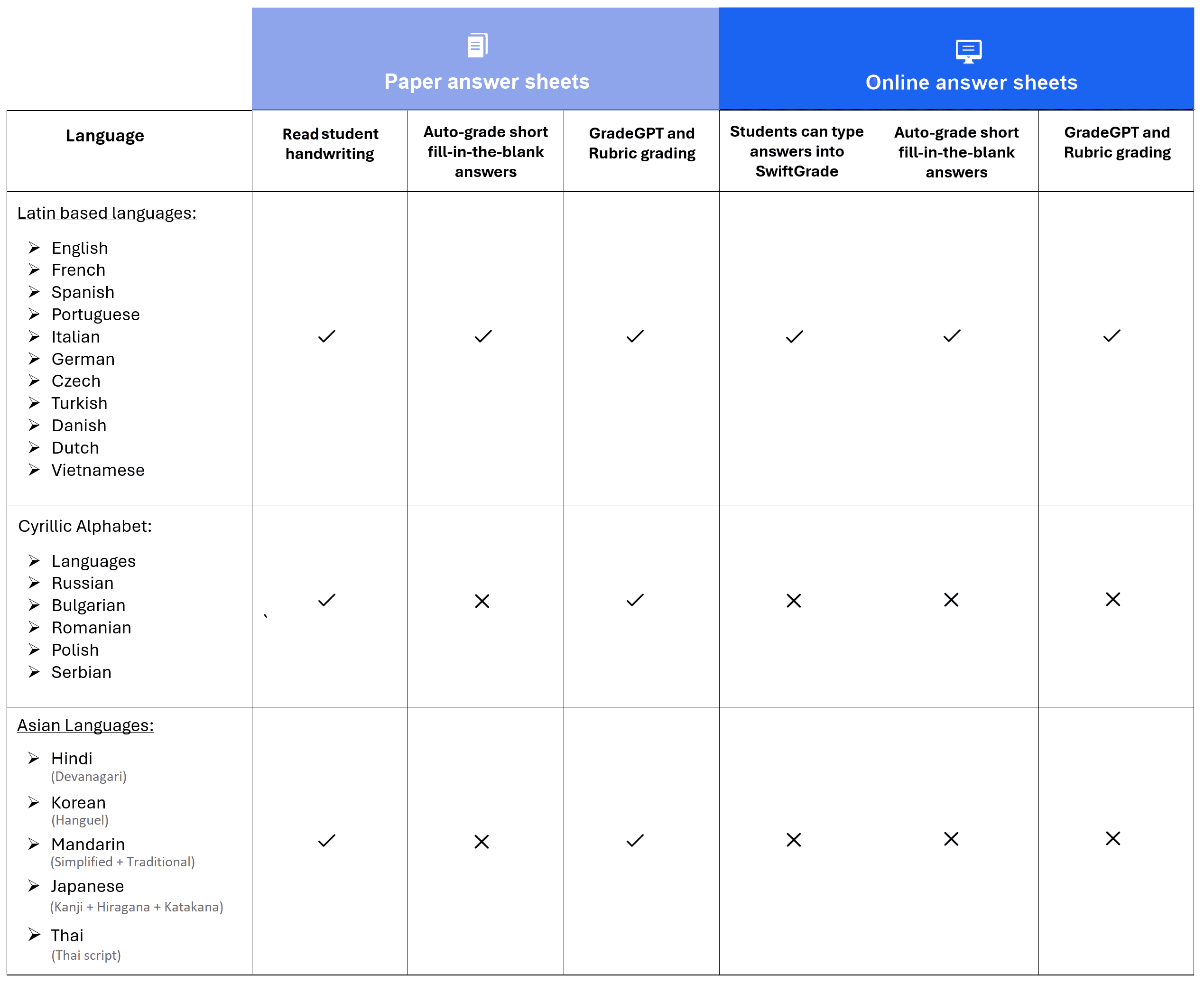
Supported languages

See which languages are supported by our answer sheets

Supported languages

Note** Math and numeric answers are supported with the standard numeral system: 1,2,3

Need more support for your language? Contact us

Print answer sheets

Print answer sheets

To print answer sheets first Log in and then follow these instructions:

  • For Answer Sheets: Go to the assessments tab and click Print icon
  • For M.C. Bubble Sheets: Go to your dashboard and click MC icon

Answer sheets vs. Uploading Assessments

Not sure which method to use?

Watch Video (2 min):

Choose which works best on a test-by-test basis

Use this guide to see which method fits each test
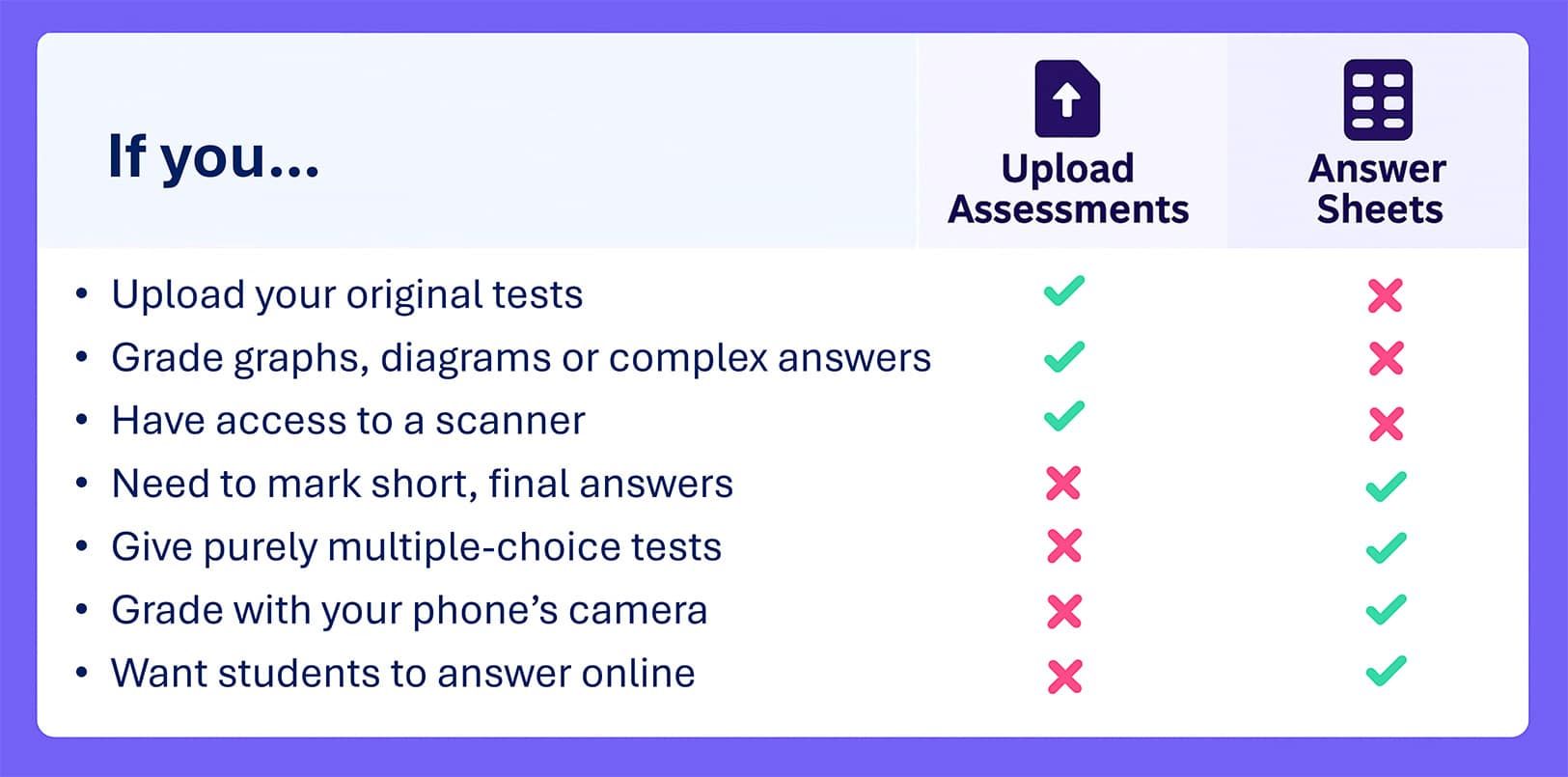
Answer sheets vs uploading comparison

Ready to start grading?

Try both methods after signing up - no commitment required
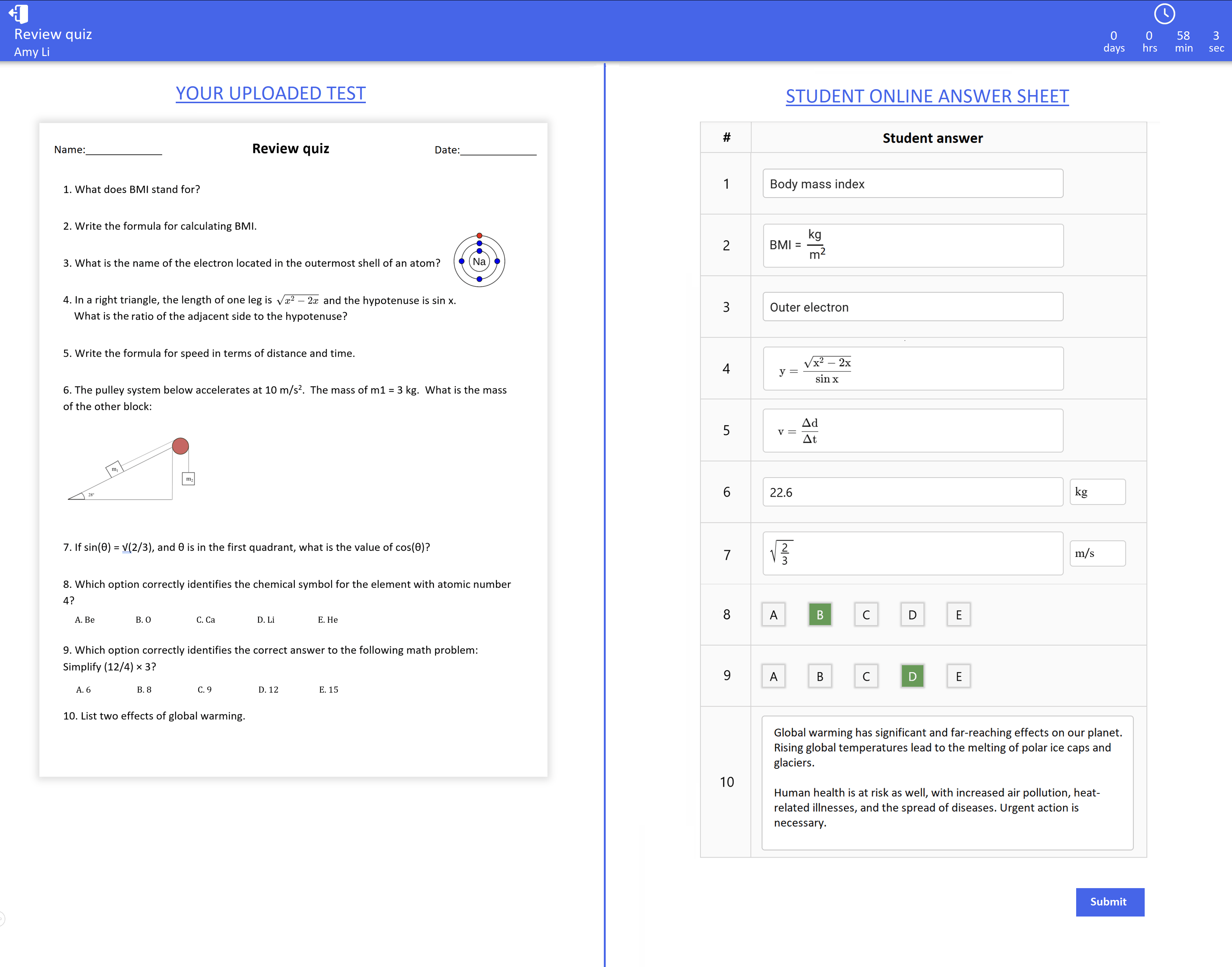
upload Upload assessments for grading form Grade with our answer sheets